Collect live event photos & videos from MMS and QR Code
- 🚀 Super easy to use
- 📸 Capture unique moments from guest photos & videos
- 🎉 Engage your audience
☝️ Display this on a projector, screen or virtual stream
Perfect for every kind of event
How it works
Up and running in minutes - no app downloads, no complicated setup.
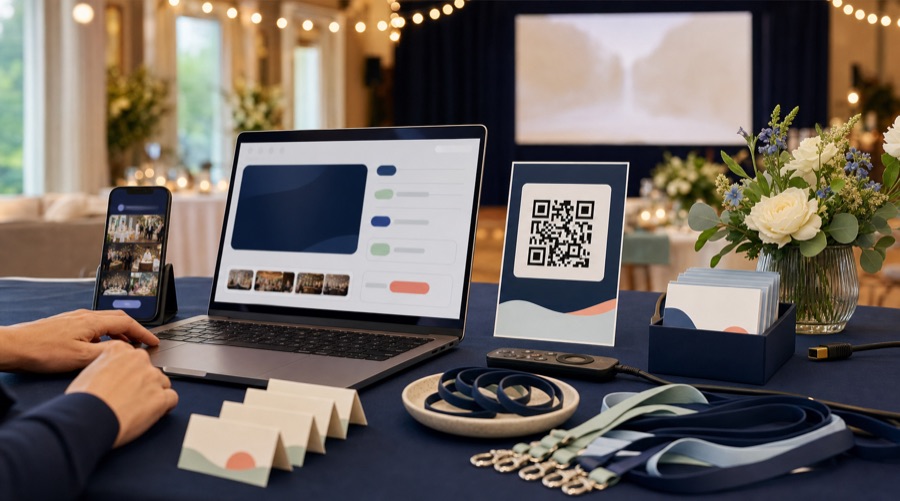
Create & configure your live stream
Enter your event details and we'll instantly create your unique event stream. Then choose how guests can post and set how the stream looks and behaves.
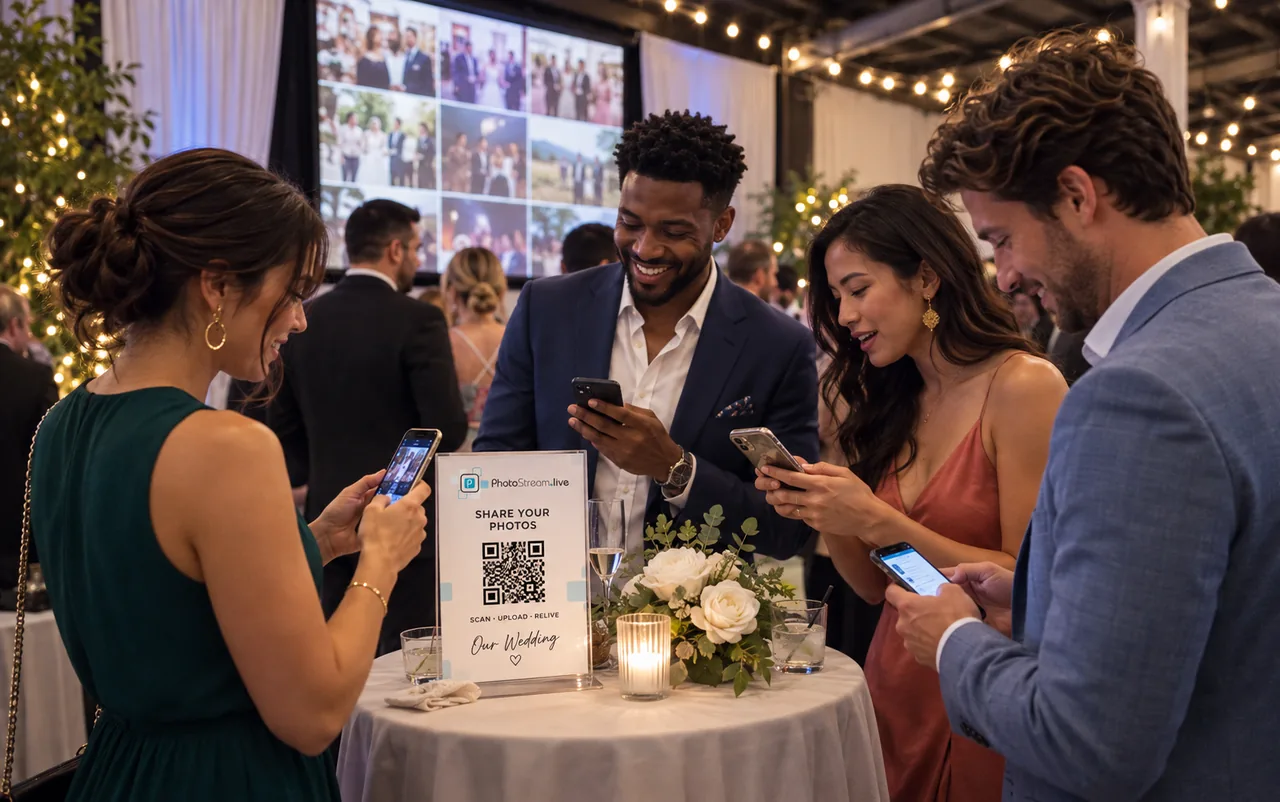
Guests share & watch it live
Guests post photos and videos via QR Code or MMS1 - no app required. Show every moment live on any screen, with control over what appears.
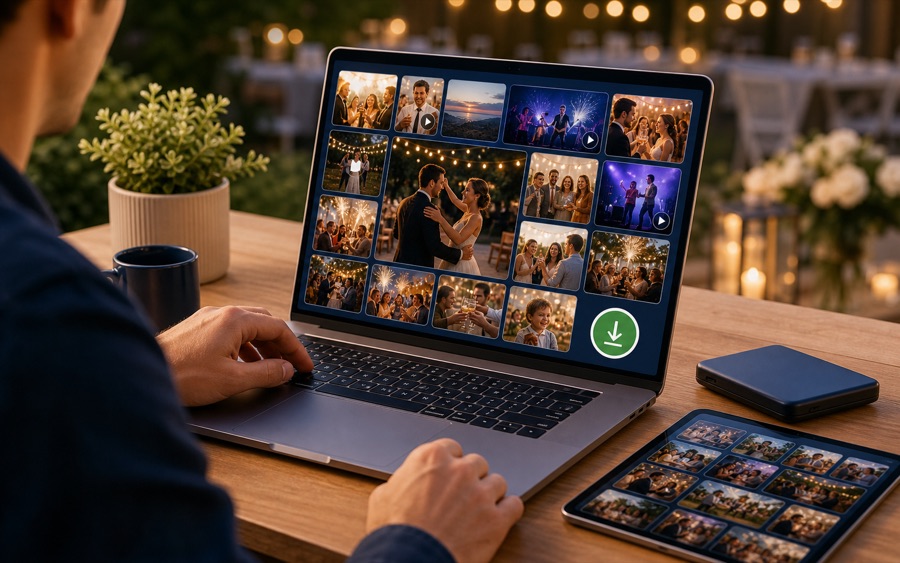
Revisit & keep every moment
After the event, explore posting insights, share a gallery and download all the collected photos, videos and GIFs.
1 MMS sending only available in Canada & United States
Loved by hosts of every kind of event
100s of happy customers have used PhotoStream.Live for weddings, birthdays, corporate events, charity fundraisers, conferences and more.
"It gave our social-media-loving friends and family a reason to snap all day, and gave us so many memories from our guests' viewpoints. So easy even my technophobic Dad sent over 30 photos by SMS!"

"We've used PhotoStream.Live for several events, including large-scale fundraisers. As a nonprofit we rely on affordable platforms that deliver high quality - this does just that!"

"A fantastic service that let us see photos from people who couldn't physically make it to our Easter services. Everything ran perfectly and our event was taken to the next level."
"We hosted our wedding in Japan with international and local guests. Friends around the world who couldn't make it tuned into the live stream and saw every photo and video in real time. Highly recommend!"
"Such a user friendly experience! Everyone submitted their pictures without any problems, and I love that you get to download all the photos the next day. A very cool experience for all our supporters!"
"Our guests had a ton of fun! Guests of all ages easily shared selfies, GIFs, videos and amazing photos. We got to keep them all - so cool to have so many perspectives of our wedding night."
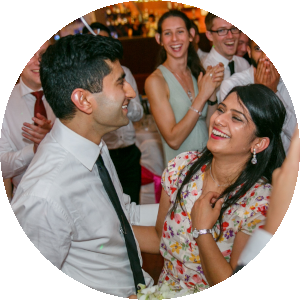
"We saved money on wedding photography by using PhotoStream.Live! During our reception we showed a live stream on a central projector. Everyone had a blast and we kept all the shared photos and videos."
"Photostream.live was a cool way for guests to stay engaged at my wedding. Highly recommend!"
Why use PhotoStream.Live?
Make sharing easy
Printable guest instructions
Download event-specific Letter, A4 or 4 × 6 cards with your QR code and posting details, ready to display around the venue.
QR and MMS posting
Guests can scan your event QR code and upload from their browser, or send media by MMS in the US and Canada - no app required.
Unlimited participants and uploads
Every package includes unlimited guests and unlimited photos, videos and GIFs - no caps and no per-guest fees.
Shape the live experience

Upload memory photos
Upload your favourite memory photos before the event and they'll cycle through the live stream alongside your guests' live posts.
Live stream controls
Control the photo layout, image sizing, rotation, post details, instructions and how the guest QR code appears.
Custom stream branding
With the Complete package, personalize the stream with your event title, instruction message, logo, background and accent color.
Stay in control

QR posting controls
Choose open, password-protected or email-verified access, collect guest names and set optional posting limits.

Moderation controls
Choose manual moderation or AI-assisted moderation on the Complete package when your event needs tighter control.
Manage live posts
Review posts as they arrive, archive anything you don't want shown, and restore it later without permanently deleting it.
After the event
Posting insights
Understand posting activity, popular channels, media types and your most active contributors.

Gallery
Share a link to an online gallery of all the photos, videos and GIFs from your event - perfect for guests and anyone who couldn't attend.
Download all shared media
After your event, download the complete set of photos, videos and GIFs your guests shared, ready to keep forever.
Try a Demo
Try out a live stream just like guests would use at your event. Share photos, videos and GIFs via MMS, or QR Guest Upload.
Simple event pricing
Every package includes guest posting tools, live stream controls and post-event insights. Choose based on QR collection time, media access, MMS availability, moderation and stream branding.
Included in every package
-

Unlimited guests
Invite as many guests as you like, with no per-participant fees.
-
QR Guest Upload
Give guests a QR posting page to share photos, videos and GIFs.
-
Printable guest instructions
Download event-specific Letter, A4 and 4 × 6 cards with posting details and QR codes.
-
Live stream controls
Set the layout, image sizing, rotation, post details, instructions and QR display.
-
Posting insights
Review posting activity, channels, media types and participant trends.
-
Gallery and downloads
Share a gallery link and download the photos, videos and GIFs collected.
Try it out
Free demo
Try your own QR live stream. No credit card needed.
- QR uploads
- Up to 14 days from signup
- Gallery, display & downloads
- 30 days
- MMS uploads1
- Try with your number
- Moderation
- AI + Manual Moderation
- Stream branding
- Custom design & branding
- Participants
- Unlimited
- Uploads
- 20 uploads in total
Essentials
Standard
Simple photo collection and sharing for your event.
- QR uploads
- Need longer? Finish setting up your event, then contact us for a paid extension.
- Gallery, display & downloads
- 6 months
- MMS uploads1
- Need longer? Finish setting up your event, then contact us for a paid extension.
- Moderation
- Not included
- Stream branding
- Not included
- Participants
- Unlimited
- Uploads
- Unlimited photos, videos, GIFs
Upgrade to Complete later for the price difference.
More control
Complete
Longer event post collection, with moderation and branding
- QR uploads
- Need longer? Finish setting up your event, then contact us for a paid extension.
- Gallery, display & downloads
- 12 months
- MMS uploads1
- Need longer? Finish setting up your event, then contact us for a paid extension.
- Moderation
- AI + Manual Moderation
- Stream branding
- Custom design & branding
- Participants
- Unlimited
- Uploads
- Unlimited photos, videos, GIFs
1 MMS only available in Canada and United States
Need something different?
Ask us about custom packages and discounts for multiple events.
Get in touch with us at
contact@photostream.live
for these options.
What you need

Internet Connection
You will need a reliable internet connection for the live photo stream to work.

Device
You will need a phone, tablet, laptop or computer. Any device that has a web browser can be used to access and display the live stream.

Screen or Projector
You may want to display the live stream on a larger screen or projector from your internet connected device.
FAQs
For a paid event, choose MMS and its posting dates when you finish setup after payment. Your number appears on your event page once it is ready. You can select up to 7 days of MMS posting on Standard or 14 days on Complete, independently of your QR posting dates. Check your event page for your booking's exact dates and number status.
When you create your live stream you can choose the channels to receive posts (MMS, QR Guest Upload).
After you create your live stream you will have access to your exact posting instructions, typically this will look like:
MMS: MMS photos and videos to a number we assign for events in US/CA
QR Guest Upload: Scan the event upload QR code or open your Guest Upload page
It can be a good idea to share these instructions with your event participants ahead of time. A lot of live events who use our product
will print out instruction cards with these details and leave them on tables for guests to easily access. Every package includes printable PDF instruction cards
in Letter, A4 and 4 × 6 formats from your event management page - these include your event details, posting instructions and QR codes for easy guest access.
But this is definitely not required, these instructions will also rotate across the bottom of your live stream page, so event participants will
also be able to easily see them during your entire live stream and know where to send their posts to.
We don't provide any physical equipment or hardware, you will need to display the live stream on your own device.
You don't need much though, just an internet connected device such as a laptop or tablet which can be used
to display the live stream on any projector or bigger screen. As the live stream is just a unique page on our website
that we create for your event, just open it in any browser (we recommend Google Chrome) and display it on any screen, it's that easy!
Check out our setup instructions for detailed guidance on displaying your live stream.
There is no app to download! Just use our website to set-up and display your live stream. PhotoStream.Live is designed to make it super easy to post photos and videos without downloading an app. Your event participants can easily share photos and videos via MMS or QR Guest Upload.
You can create a live stream to run in any country! Please note that MMS numbers are only available for events in Canada and United States. Every country has access to QR Guest Upload, for receiving posts.
After you sign-up and create a live stream for your event you will have access to your live stream posting instructions. It can be a good idea to share these ahead of your event with guests. You can download event-specific Letter, A4 or 4 × 6 PDF instruction cards to display at your event, or guests can scan the QR codes on these cards to access instructions. During your live stream, these instructions will also rotate across the bottom of the live stream page. These instructions will include your MMS number, and QR Guest Upload details.
Yes. You can review and manage posts during and after your event, archive posts you do not want shown and restore them later. Your shareable gallery remains hidden until you choose to make it viewable, and you can download a ZIP file containing all shared photos, videos and GIFs.
Yes! Short videos and animated GIFs can be sent to your event live stream. Try out our free demo to try it out for yourself.
Photos, videos and animated GIFs can be posted to your event live stream. Each posting channel has restrictions and limitations for exactly what can be posted which is outlined here: detailed limitations of each channel.
The short answer is typically within a few minutes and most of the time within a minute or two. But this
depends on many factors, including your internet connectivity used to display the live stream, processing time of our service providers and a
number of other factors. If you are running AI moderation then this will add some delay to new posts appearing
on the live stream. As live posts arrive to the live stream they are queued and pushed to your live stream every 3 seconds, this is to
ensure a flood of live images arriving at the same time doesn't crowd the screen.
Note that some channels have limitations on posting, see detailed information about limitations for each channel.
With the Complete package, you have two options to control content posted to the live stream: AI moderation and manual moderation. If you are using
AI moderation, each post is checked for explicit content through Amazon's AI service and Google's
AI service. Any posts that are potentially not appropriate will be put into a manual moderation queue, to be approved before
they appear on your live stream. Please note that this is not a 100% reliable method. AI moderation will
also filter some legitimate posts as well (false positives) that will need to be manually moderated.
The other option is to run manual moderation, where you or someone else on your account will need to
manually approve each post before it appears on the live stream. If you need to be absolutely certain about
which posts make it to the live stream please select this option.
For posts that are already live, you can archive anything you no longer want shown and restore it later without permanently deleting it.
Unfortunately we can't guaruntee live support during your event. We are sure you won't need any help, our
product is designed to be very easy to use! Just create a live stream
and use the link in your account to display the live photo stream. That's it! Everything else will work automatically, guests
will see instructions on how to post rotating at the bottom of your live stream.
For help with displaying your live stream, see our setup instructions.
We are of course available to answer any questions you may have before your event, just reach out to us
at contact@photostream.live.
Our paid packages are Standard for USD $49 (up to 3 months of QR uploads; gallery, display and downloads for 6 months; up to 7 days of MMS posting) and Complete for USD $89 (up to 6 months of QR uploads; gallery, display and downloads for 12 months; up to 14 days of MMS posting). Complete also includes AI moderation, manual moderation and stream branding. Both include unlimited participants and uploads, a dedicated MMS number1 when MMS is selected, QR Guest Upload controls, printable guest instructions and posting insights.
Choose separate start and end dates for QR and MMS posting during setup. Posting opens at the selected start time and closes at the selected end time; there is no automatic early opening. Posting must end within your media-access period, which runs from the first enabled collection window opening. Existing bookings keep their original terms; your event page and emails show the exact dates.
Started on Standard and changed your mind? You can upgrade an event to Complete yourself from your events dashboard or its Event Details page, any time up until setup locks 24 hours before your event or its first collection window starts. You pay only the difference between the two package prices. Your confirmation shows when the upgrade is ready; if a new MMS number is needed, your instructions are updated too.
QR Guest Upload gives your event a dedicated browser upload page. Guests can scan your event QR code and upload photos or videos directly from their phone without downloading an app. As the host, you can leave access open, require a password or require email verification. You can also collect guest names, set optional posting limits and choose whether guest captions appear on the live stream.
Every package lets you set the starting photo layout, image sizing, rotation order and timing, post details, instruction footer and how the guest upload QR code appears. Viewers can also make per-screen display adjustments from the live stream. With the Complete package, you can additionally customize the stream title, instruction message, logo, background and accent color.
Your event posting insights show total and live posts, archived posts, videos, captions, contributor activity, posting activity over time, channel usage and media types. You can also export the posting history as a CSV file when you need the underlying event record.
Yes! You can upload all your special memory photos before the event. During the live stream, these photos will cycle through with the live images, creating a beautiful mix of memories and real-time moments.
1MMS only available in Canada and United States